Every website owner needs a place to store all of their messages, data, contacts, and more. You can easily add webmail to your cPanel account to access your inbox and share with clients and customers. The following guide will walk you through accessing webmail on your cPanel account and give you some instructions on using it.
How to access webmail through cPanel
What is a webmail
Webmail is a type of email service that is available on the internet. Webmail allows you to compose, read your emails, and perform other functions such as recover lost emails from your computer browser. The two webmail applications are Roundcube and horde (discontinued).
How to login to cPanel webmail
- Log into your cPanel account.
-
To log in to cPanel, first, log in to your hosting company customer portal. For this case login to the HostAfrica client area.
-
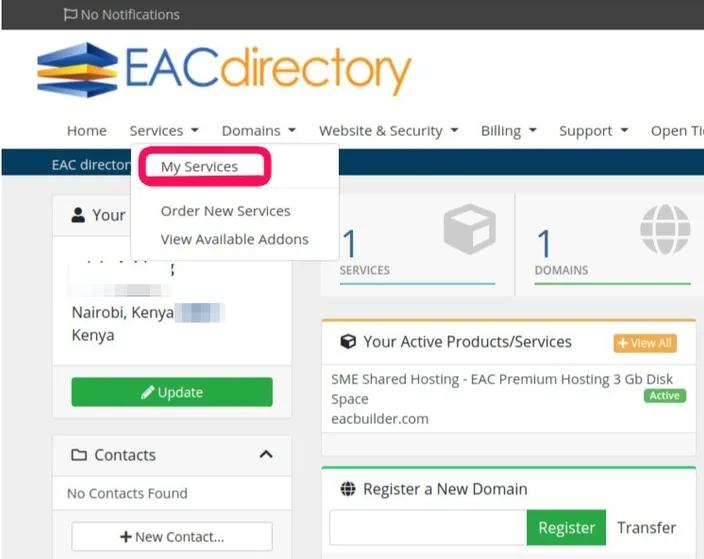
Locate services on the menu bar, then click on my services
-
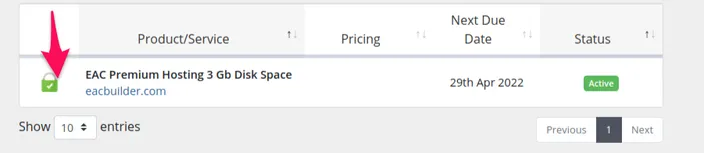
Click on the particular service you want to access the cPanel for
-
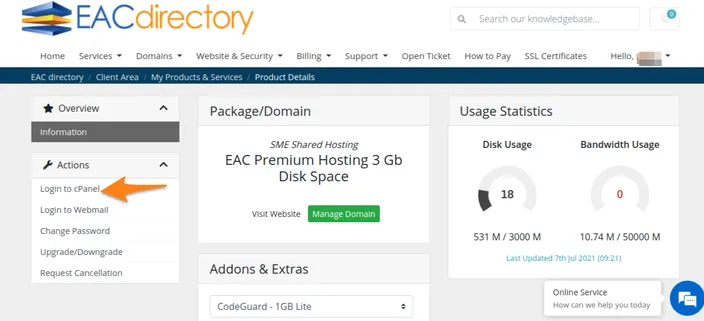
On the actions sidebar, click on login to cPanel.
-
- Under the Email section of the cPanel, click on the Email account, locate the email you want to manage, then click check email and choose the application that you want to use.
How to configure your email account through webmail
If you are using webmail for the first time, follow these steps to configure your email account through webmail.
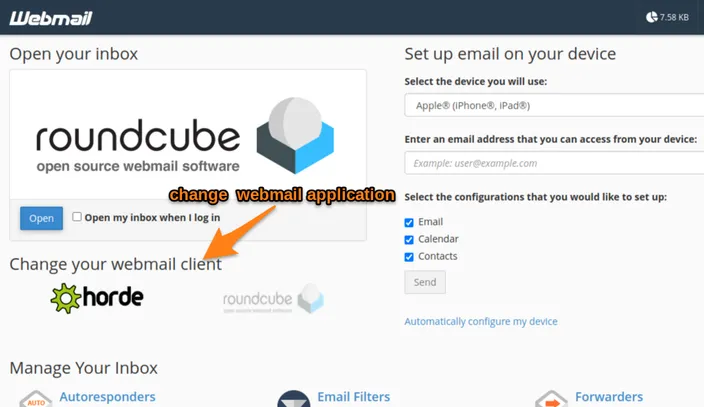
- Choose the webmail application that you want to use under change your webmail client. They are Roundcube and
horde(discontinued). - To open your webmail, click on open.
Managing your inbox
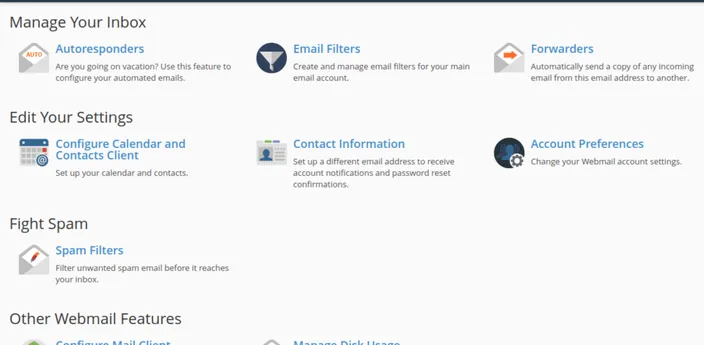
- Autoresponder - This function allows you to automate emails when you are away or busy.
- Email filters - This function helps you to create and manage filters for your Email account.
- Forwarders - This function helps you to automatically send incoming emails from your account to another email account
- Calendar and contact client - helps you to set up your calendar and contacts.
- Contact information - This function helps you set up a different email account to get notifications and password reset confirmation.
- Account preference - This function helps you to change your webmail account settings.
- Fight spam - This function helps you filter out spam emails that can compromise your security before they reach your inbox.
- Manage disk - helps you to recover storage space by deleting old messages.
- Configure mail client - This function helps you to set up your email account on any device.