
Always-on Assistant
Keep OpenClaw running 24/7 so you can message it anytime, from anywhere.
OpenClaw is a personal AI assistant you run on your own devices. It connects to the chat apps you already use (WhatsApp, Telegram, Slack, Discord, Signal, iMessage, Teams, WebChat, and more) through a single Gateway process - plus a browser-based Control UI for chat, config, and sessions.
Launch a secure, always-on OpenClaw Gateway on a high-performance VPS - and keep full control of your assistant.
Billing options: Monthly, Quarterly, Bi-annual (6 months) and Annual.



If OpenClaw is running on your laptop, it's only available when your laptop is on. A VPS makes it reliable.
Keep OpenClaw running 24/7 so you can message it anytime, from anywhere.
You control the environment, access rules, and where your data lives - OpenClaw is designed to be self-hosted.
Guaranteed CPU/RAM for stable sessions, multi-channel routing, skills, and automations.
Upgrade resources as your usage grows.
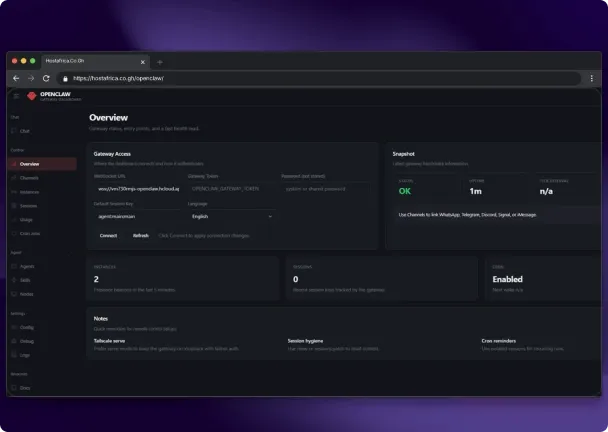
OpenClaw runs as a Gateway (control plane) that manages sessions, routing, and channel connections. The Control UI runs in your browser, and you can connect multiple chat channels to the same gateway.
OpenClaw hosting on a VPS allows your AI assistant to connect to real messaging platforms and automate actions safely. Treat inbound messages as untrusted input and lock down access from day one. OpenClaw itself calls this out in its security defaults and documentation, giving you confidence that your OpenClaw hosting environment is secure by design.
Use allowlists / pairing approvals for DMs (don't leave channels "open")
Restrict group behavior (e.g. require mentions)
Keep your VPS firewall tight (only expose what you must)
Prefer private access (VPN/tailnet) for the Control UI when possible
Have questions? Our FAQ section provides clear answers to common questions about our packages, services and platform.
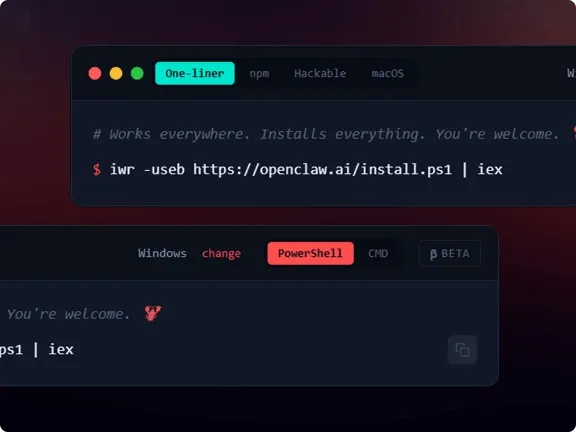
OpenClaw supports running the Gateway on your own machine or a VPS server, and the CLI wizard is the recommended setup path. Using OpenClaw hosting on a VPS ensures your assistant stays online 24/7 with dedicated resources and full control.
OpenClaw supports WhatsApp, Telegram, Slack, Discord, Signal, iMessage, Teams, and more (including extension channels). Your OpenClaw hosting setup ensures these integrations run reliably and securely 24/7.
Yes - OpenClaw includes a browser-based Control UI for chat, config, sessions, and nodes.
For uptime and reliability, yes. A VPS keeps your assistant online even when your PC is off or your connection is unstable.
A VPS is generally more secure than running OpenClaw on a shared environment or exposed home network. You get an isolated OS, can lock down ports with a firewall, enforce SSH key access, and keep the Control UI behind VPN or private networks. Combined with OpenClaw's own security defaults, this gives you a much safer deployment surface.
You can scale your VPS vertically at any time - add more CPU, RAM, or storage without rebuilding your OpenClaw setup. If you add more channels, workflows, or agents, just upgrade to the next VPS size.
Basic command-line familiarity helps, but you don't need to be an expert. The CLI wizard guides you through setup, and once running, most day-to-day usage happens through the Control UI and your chat apps.
Yes - as long as you size the VPS appropriately. Many users run supporting tools (e.g. small APIs, monitoring agents, or databases) next to OpenClaw. Just ensure you allocate enough CPU/RAM and keep security tight so only the necessary services are exposed.
OpenClaw and n8n both automate tasks, but they work differently.
OpenClaw is a self-hosted AI agent that follows natural language instructions. It can decide how to complete a task, run commands, manage files, and interact with chat platforms like WhatsApp or Slack. It's suited to dynamic, goal-based automation.
n8n is a visual workflow tool. You build fixed trigger-and-action flows, and it runs exactly what you configure.
In short: OpenClaw acts autonomously based on goals. n8n follows predefined rules you set up. See our self-hosted n8n guide - Automate Workflows on Your VPS.
Get quick and professional help for a smooth OpenClaw hosting experience. Our support team is available every step of the way.